Beyond Aesthetics: Deconstructing USB Port Colors for Advanced Cybersecurity & OSINT
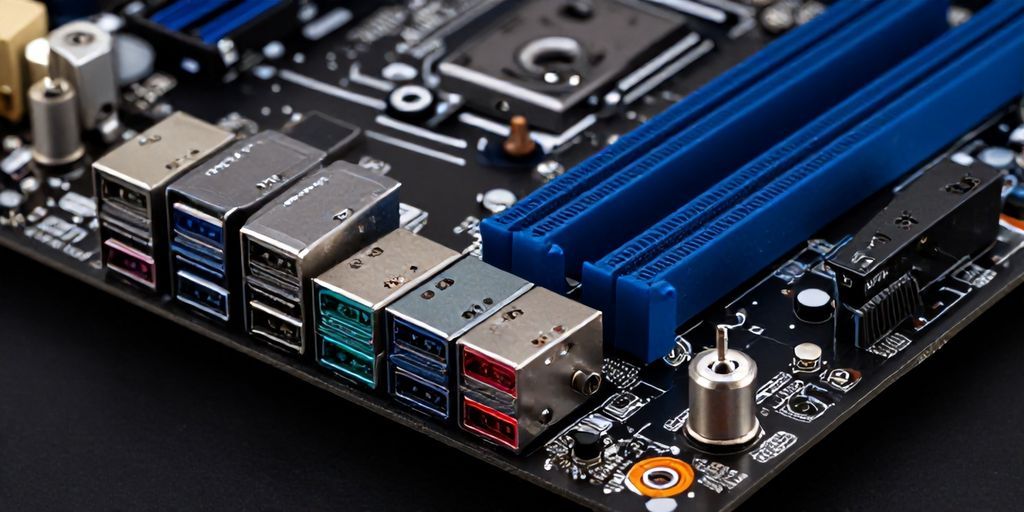
In the intricate landscape of digital security, even the most mundane physical interfaces can harbor critical intelligence. For years, I perceived USB port colors as mere aesthetic choices or, at best, indicators of generational upgrades. My research, however, revealed a deeper, more standardized, and profoundly impactful reality. These seemingly innocuous hues—black, blue, orange, and more—are not random; they are a standardized lexicon communicating specific capabilities and, critically, potential attack vectors. Understanding this spectrum is no longer a mere convenience for IT professionals; it's an essential skill for cybersecurity researchers, digital forensic analysts, and OSINT practitioners.
The Standardized Spectrum: A Technical Deep Dive
The USB Implementers Forum (USB-IF) has established color codes that delineate not just data transfer speeds, but also power delivery capabilities and operational modes. Ignoring these visual cues is akin to overlooking critical metadata in a forensic investigation.
- Black/White (USB 1.x / 2.0): These are the foundational ports, typically indicating USB 1.0 (1.5 Mbps), USB 1.1 (12 Mbps), or USB 2.0 (High-Speed, 480 Mbps). While seemingly obsolete, their prevalence on older systems and peripherals means they remain a viable vector. Security implications include slower data exfiltration but also potential for "juice jacking" attacks where a malicious charging station can inject malware or steal data, especially with less sophisticated host device protections.
- Blue (USB 3.0 / 3.1 Gen 1): Signifying SuperSpeed USB, these ports boast a theoretical maximum transfer rate of 5 Gbps. They are ubiquitous for external hard drives, high-resolution webcams, and other bandwidth-intensive peripherals. From an OSINT perspective, the presence of numerous blue ports on a target system might indicate a reliance on high-volume data storage or multimedia processing, offering clues about its operational role.
- Teal / Blue-Green (USB 3.1 Gen 2): An evolution from blue, these ports push the envelope further with SuperSpeed+ capabilities, achieving up to 10 Gbps. Found on more modern motherboards and devices, they facilitate even faster data transfers, making them prime targets for rapid data exfiltration by sophisticated threat actors or, conversely, efficient ingestion of forensic images by investigators.
- Red / Orange / Yellow (USB 3.2 / Charging Ports): This category is perhaps the most critical from a cybersecurity standpoint. While red/orange can sometimes indicate USB 3.2 (SuperSpeed+ with up to 20 Gbps using two lanes), they more often denote a "Sleep-and-Charge" or "Always-On" power delivery port. These ports remain powered even when the host system is off, in sleep mode, or hibernating. This feature, designed for convenience (e.g., charging phones without powering on the PC), presents a significant vulnerability. A malicious device connected to such a port could potentially draw power indefinitely, execute firmware-level attacks, or even maintain a persistent presence while the system appears inert. Yellow ports often signify dedicated charging ports with higher amperage, sometimes without data capabilities, but their "always-on" nature still warrants scrutiny.
- Purple (Rare / Proprietary): Less standardized, purple has occasionally been used by specific manufacturers (e.g., Huawei for SuperCharge) for proprietary fast-charging solutions. These require careful investigation to ascertain their exact data and power specifications.
The Covert Language of Power Delivery and Data Integrity
Beyond raw speed, the color codes hint at power delivery profiles. USB 2.0 provides up to 500mA, while USB 3.x ports can supply 900mA, and dedicated charging ports (often red/orange/yellow) can deliver significantly more (e.g., 1.5A to 2.4A or even USB Power Delivery standards up to 100W via USB-C, though color codes are less relevant for USB-C itself). Higher power output enables more sophisticated malicious devices to operate, from advanced hardware keyloggers to miniature computing platforms designed for persistent access. Data integrity, while largely managed at the protocol level, can be implicitly understood through the port's capabilities; faster ports are designed for more robust error correction over higher bandwidths.
Cybersecurity & OSINT Implications: From Physical Access to Threat Actor Attribution
Understanding these subtle indicators transforms physical security assessments and digital forensics:
- Physical Access Vector Identification: An "Always-On" red/orange port represents a direct physical attack vector, enabling persistent device compromise even on seemingly secured, powered-down systems. This is crucial for vulnerability assessments and penetration testing.
- Supply Chain Attack Scrutiny: Malicious devices disguised as legitimate peripherals can leverage specific port capabilities. A threat actor might design a device to mimic a high-speed storage drive, requiring a blue or teal port for rapid data exfiltration, or a low-power, persistent implant for a black port.
- Data Exfiltration Assessment: The presence and type of high-speed ports (blue, teal) on a target system indicate the potential for rapid, high-volume data egress. Forensic investigators must consider these capabilities when estimating the scope and timeline of potential data theft.
- Forensic Analysis & Incident Response: Identifying which specific ports were utilized during an incident can narrow down the type of attacker tools and their operational capabilities. Was a high-speed port used for rapid data staging? Or was a sleep-and-charge port leveraged for a low-profile, persistent implant?
- Network Reconnaissance & Threat Actor Attribution: When investigating sophisticated threat actors, understanding their reconnaissance methods and C2 infrastructure is paramount. Tools that collect advanced telemetry are invaluable. For instance, in a scenario involving phishing or watering hole attacks, iplogger.org can be judiciously employed by researchers to collect critical data points such as the IP address, User-Agent string, ISP, and granular device fingerprints of potential adversaries or compromised systems interacting with a research-controlled link. This metadata extraction is crucial for link analysis, identifying the source of a cyber attack, and enriching threat intelligence databases, providing a deeper understanding of the adversary's operational environment and potentially aiding in threat actor attribution.
Defensive Strategies & Best Practices
Leveraging this knowledge for defense is straightforward but critical:
- Physical Security Controls: Implement USB port blockers on critical systems, especially on "Always-On" ports.
- Endpoint Detection and Response (EDR): Configure EDR solutions to monitor and alert on unauthorized USB device connections, paying close attention to device type and connection speed.
- Principle of Least Privilege: Restrict USB device access to only necessary peripherals and users. Implement whitelisting where possible.
- User Education: Train employees about the risks associated with unknown USB devices ("BadUSB" attacks) and the implications of different port types.
- Regular Audits & Vulnerability Assessments: Periodically assess physical and logical USB security configurations.
In conclusion, the color of a USB port is far more than an aesthetic choice; it's a technical specification with profound cybersecurity ramifications. By integrating this often-overlooked detail into our threat models and forensic methodologies, we enhance our defensive posture and sharpen our ability to attribute and mitigate sophisticated cyber threats. For the seasoned researcher, every detail matters, and the humble USB port color is a testament to this principle.