The Alarming Rise of LastPass Phishing Campaigns
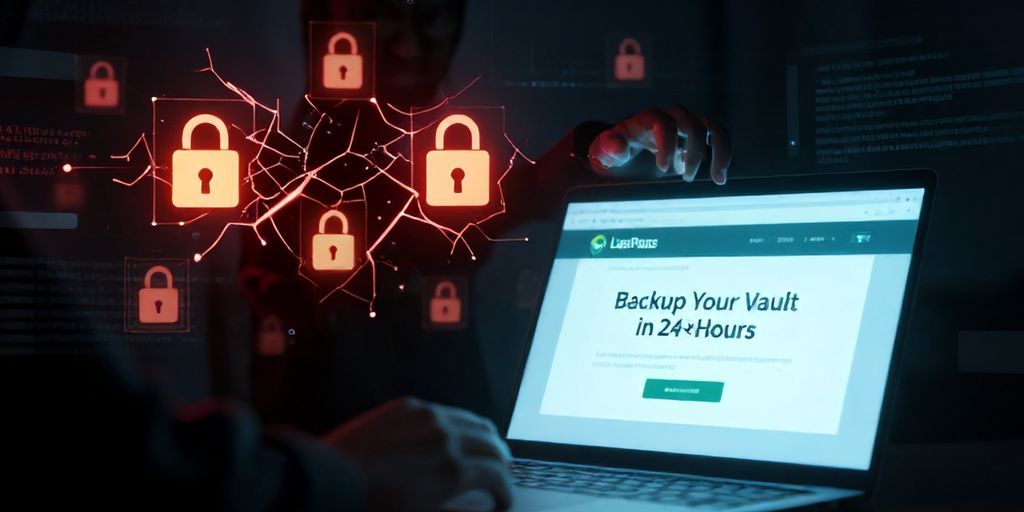
As a senior cybersecurity researcher, it's my duty to alert the community to evolving threats. We're currently observing a highly concerning phishing campaign specifically targeting LastPass users. LastPass itself has issued warnings about these malicious emails, which are designed with a singular, deceptive goal: to trick users into compromising their invaluable password vaults.
Urgent Warning from LastPass
The core of this sophisticated social engineering attack revolves around a fabricated sense of urgency. Threat actors are sending out fake LastPass maintenance emails, pressuring users to perform a 'vault backup' within a tight, arbitrary deadline – typically 24 hours. The underlying threat is always implied: failure to comply will result in data loss or account suspension. This tactic leverages fear and immediacy to bypass critical thinking and encourage hasty action, leading users directly into a credential harvesting trap.
Dissecting the Phishing Attack Vectors
Anatomy of a Fake LastPass Email
Attackers invest considerable effort into making these phishing emails appear legitimate. They meticulously mimic LastPass's official branding, including logos, color schemes, and even the stylistic elements of legitimate communications. However, a closer inspection often reveals tell-tale signs of deception:
- Sender Impersonation: The 'From' address might appear legitimate at first glance, but hovering over it or checking the full header reveals a lookalike domain (e.g., 'lastpacs.com' instead of 'lastpass.com') or a completely unrelated sender.
- Urgency and Fear: The language is crafted to instill panic. Phrases like 'Urgent Action Required,' 'Account Suspension Imminent,' or 'Final Warning: Vault Backup Needed' are common. The explicit mention of a 24-hour deadline is a critical social engineering ploy designed to rush the victim.
- Call to Action: A prominent button or hyperlink, often labeled 'Backup Your Vault Now,' 'Verify Your Account,' or 'Access Your Security Settings,' serves as the gateway to the malicious payload.
These emails are not just about aesthetics; they are carefully engineered psychological operations designed to exploit human vulnerabilities.
The Deceptive Link and Credential Harvesting
The moment a user clicks the malicious link embedded in these fake maintenance emails, they are redirected to a fraudulent website. This site is meticulously designed to impersonate the official LastPass login page. Unsuspecting users, under the pressure of the '24-hour deadline,' input their LastPass master password and potentially their username into what they believe is a legitimate login portal. This act instantly compromises their credentials, granting attackers unauthorized access to their entire vault.
A successful credential harvest of a LastPass master password is akin to obtaining the master key to a user's entire digital life. Attackers can then attempt to log into various services, bypass multi-factor authentication (MFA) if not properly configured, or even leverage the stolen credentials for further targeted attacks.
Advanced Reconnaissance: The Role of IP Loggers (e.g., iplogger.org)
Sophisticated attackers often employ reconnaissance techniques even before presenting the fake login page. One method involves embedding tracking links or redirects that utilize services like iplogger.org (or similar custom scripts) within the phishing email's malicious link. While users might not immediately notice, clicking such a link can silently gather valuable information about the victim, even if they don't proceed to enter credentials.
What kind of data can be collected?
- IP Address: Reveals the user's approximate geographical location.
- User Agent String: Identifies the operating system, browser type, and version, which can be used to tailor subsequent phishing pages or exploit known browser vulnerabilities.
- Referrer Information: Can sometimes indicate how the user arrived at the link.
- Timestamp: Records when the link was clicked.
This reconnaissance data allows attackers to refine their campaigns. For instance, they could filter out security researchers based on their IP ranges or user agents, prioritize targets from specific countries, or even customize the fake login page to match the user's browser, making it appear even more legitimate. This adds a layer of stealth and precision to the attack, making it harder to detect and mitigate.
Why LastPass Users Are High-Value Targets
Password managers like LastPass are central to modern digital security. They store the master keys to countless online accounts. Consequently, compromising a LastPass vault yields an extremely high return on investment for threat actors. The inherent trust users place in such a critical security tool also makes them more susceptible to brand impersonation attacks. The idea that their password manager itself might be issuing an urgent warning is often enough to trigger a panicked response, overriding their usual cybersecurity vigilance.
Mitigation Strategies and Proactive Defense
Protecting yourself from these sophisticated phishing attempts requires a multi-layered approach and unwavering skepticism.
Verify Before You Click
- Examine Sender Details: Always scrutinize the sender's email address. Look for subtle misspellings, unusual domain extensions, or generic sender names. Even if the display name looks correct, the underlying email address might not be.
- Hover Over Links: Before clicking any link in an email, hover your mouse cursor over it (on desktop) or long-press (on mobile) to reveal the actual URL. If the URL doesn't point to 'lastpass.com' (or a known official sub-domain), or if it contains suspicious characters, do NOT click it.
Direct Navigation is Key
If an email, particularly one demanding urgent action like a 'vault backup within 24 hours,' raises any suspicion, do not use the links provided. Instead, open your web browser, type the official LastPass URL (https://lastpass.com) directly into the address bar, and log in from there. Any legitimate notifications or required actions will be visible within your secure LastPass account dashboard.
Strengthen Your Security Posture
- Enable Multi-Factor Authentication (MFA): MFA is your most crucial defense against credential theft. Even if attackers steal your master password, MFA can prevent them from accessing your vault. LastPass offers robust MFA options; ensure yours is enabled and preferably uses an authenticator app or hardware key.
- Use a Unique, Strong Master Password: Your LastPass master password should be exceptionally strong, unique, and never reused for any other service.
- Stay Informed: Regularly check official LastPass channels (their blog, social media) for security alerts and best practices.
- Regularly Review Account Activity: Periodically check your LastPass security logs for any unusual login attempts or activity.
Reporting Phishing Attempts
If you receive a suspicious email impersonating LastPass, forward it immediately to their security team (they usually have a dedicated email for this, often abuse@lastpass.com or similar). Reporting helps them track and mitigate these campaigns, protecting the wider user base.
Conclusion: Vigilance is Your Strongest Shield
The ongoing phishing campaign targeting LastPass users serves as a stark reminder that social engineering remains one of the most effective attack vectors in the cybersecurity landscape. The urgency of a '24-hour backup' demand is a classic psychological manipulation. As senior cybersecurity researchers, we continually emphasize that user awareness and skepticism are paramount. Never trust unsolicited emails, especially those demanding immediate action. Always verify through official channels. Your vigilance is the front line of defense against these persistent and evolving threats.